For visitors and participants
Find your next place.
Browse centers and their public activities and events. Each center shows the ways you can connect with it.
Browse all centers
Purpose, put into practice
An operating system for intentional Adventist outposts. Connect your people, places, and daily work around a shared calling.
Your way into OutpostOS
Find a place to visit, serve, or learn. Open your center’s workspace to bring your team’s work together.
For visitors and participants
Browse centers and their public activities and events. Each center shows the ways you can connect with it.
Browse all centersFor center teams and admins
Continue into your center workspace to coordinate people, schedules, and daily operations.
Sign in to your workspaceInside the workspace
A place for your team to find the day’s rhythm, see what needs attention, and move shared work forward.
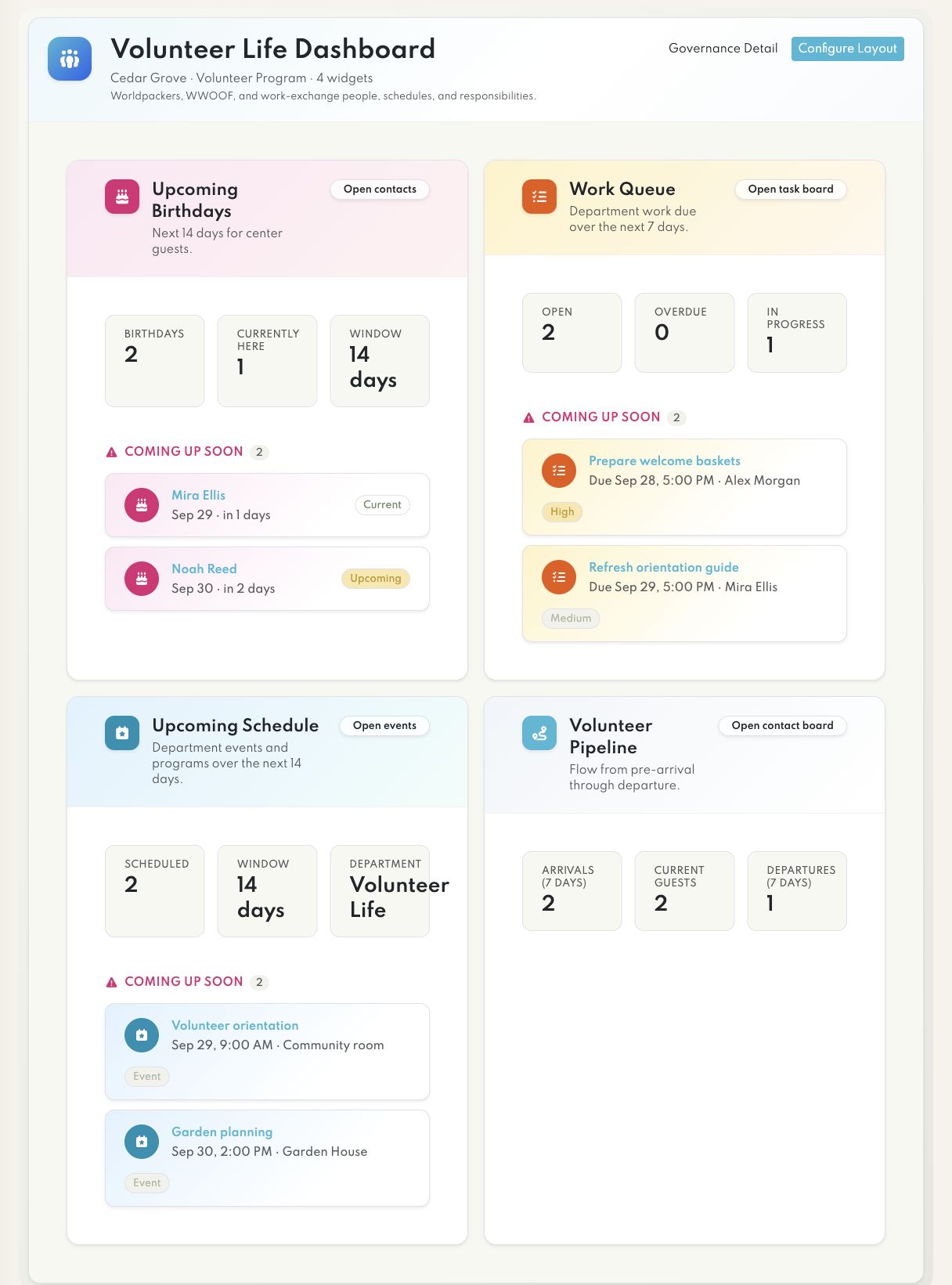
Bring your schedule, responsibilities, and department activity into one shared view.
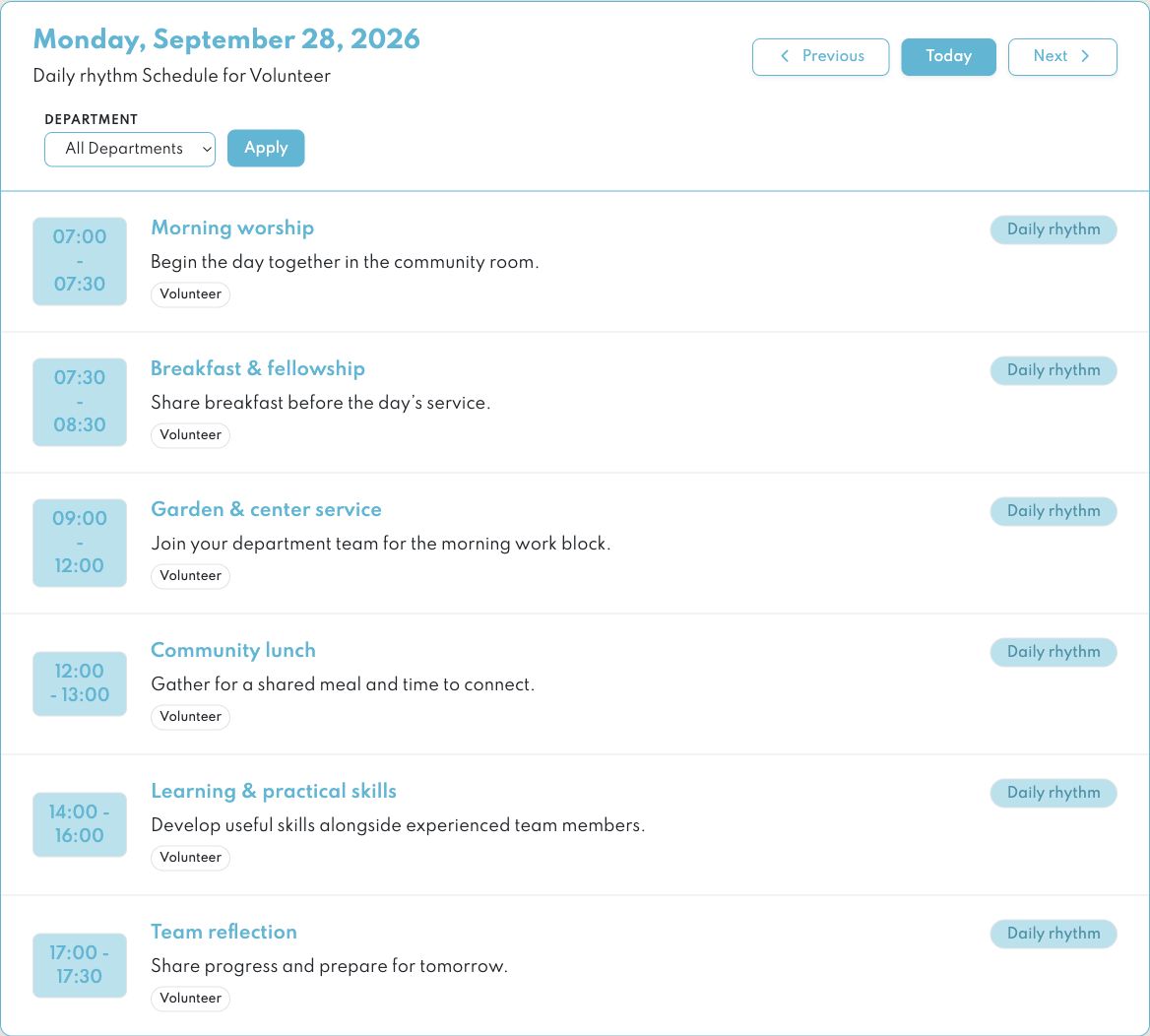
Give the day a clear rhythm, with recurring activities in one place.
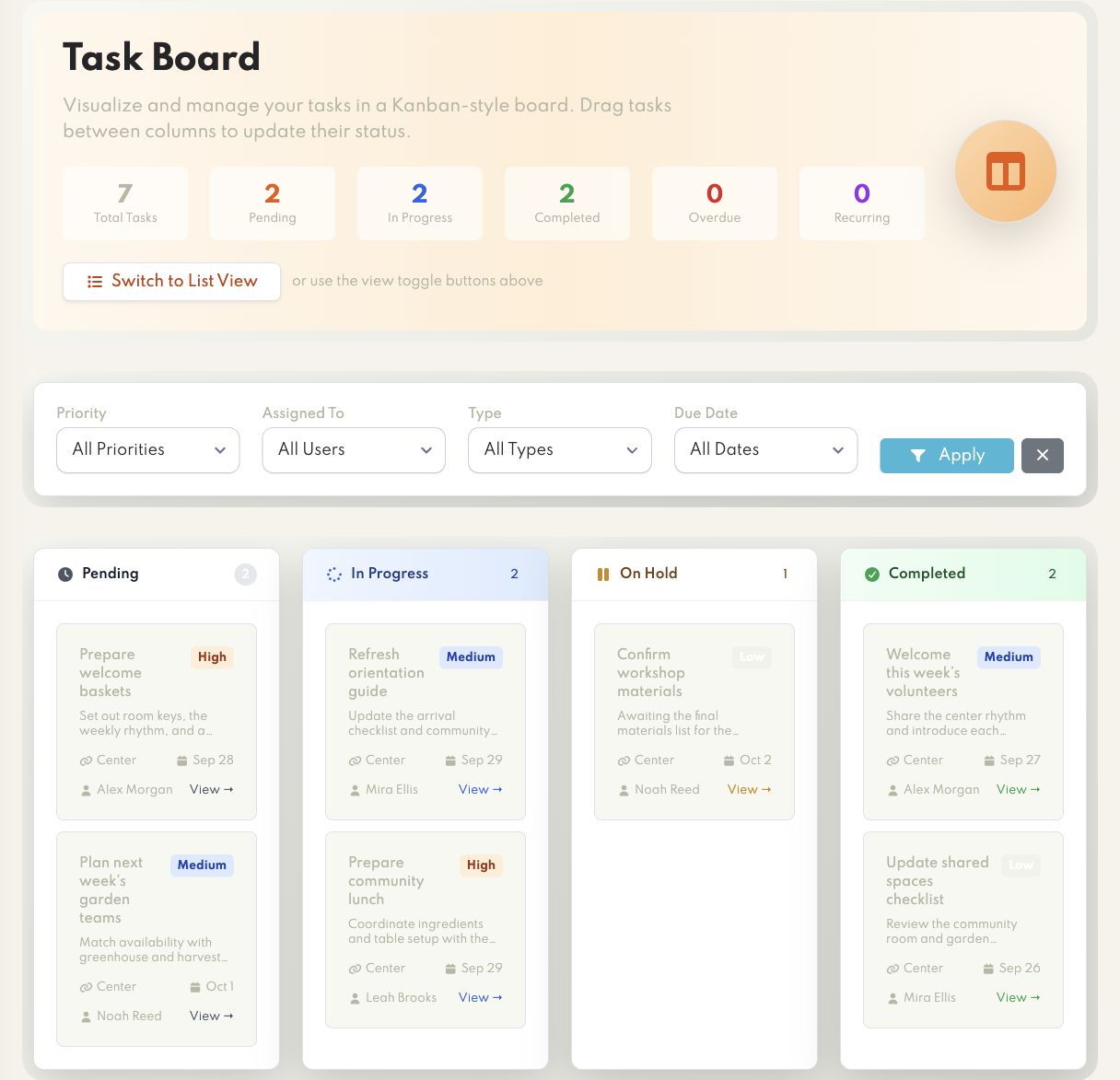
Turn shared priorities into visible tasks, clear responsibilities, and steady progress.
Different responsibilities. A clearer view.
A participant needs their next step. A department needs a view of its work. A coordinator needs the wider picture.
For participants
A personal place to find your schedule, accommodation details and the reservation connected to your visit.
See the schedule for today and the coming week in your personal stay workspace.
Find your reservation, accommodation and arrival or departure information together.
Use the reservation workflow to request a change and follow its review.
For department leads
Start from a workflow preset, choose the widgets your department uses and arrange the view around your team’s responsibilities.
Begin with an operational or program preset suited to the work of your department.
Select available widgets and adjust their settings to focus the workspace.
Set widget order, rows and widths, then save the layout for your department.
For coordinators
Authorized coordinators can move between the center’s available modules, keeping people, responsibilities and resources connected to their own records.
Review upcoming reservations and recorded arrivals, then open the stay that needs attention.
Review tasks and initiatives with their owners, dates, priorities and current status.
Open resource records, ingredient inventory and shopping lists from their shared modules.
Review departments, positions and assignments within your center.
Move between financial records, budget plans, envelopes and pledge records.
Inside OutpostOS
From a participant’s stay to a department’s daily work, explore tools for welcoming people, coordinating responsibilities, and caring for the resources entrusted to your center.
Who is coming, where will they stay, and what needs arranging?
Bring reservations, accommodation and arrival arrangements together. Give participants a personal workspace for their schedule, stay details and reservation changes.
A reservation keeps a person, their dates and their accommodation together. Staff can record allocation changes and periods spent offsite within that stay.
My Stay brings the participant’s booking and daily schedule into a personal workspace. Reservation change requests stay connected to the original booking.
Who is here, who is returning, and how do we stay connected?
Keep current stays, upcoming arrivals and alumni in one contact directory, with stay history, notes and testimonials for authorized team members.
Current stays, upcoming visits and alumni provide different ways to find people in the same contact directory. A person’s stay history adds context for the next visit.
Contact notes and testimonial management are part of the authorized staff workflow, alongside contact information and reservation history.
What is the normal rhythm, and what is different this week?
Build seasonal schedules and view the calendar by day, week or month. Add special events alongside the regular rhythm.
Move between a day’s detail, a week’s overview and the wider month to understand the center’s rhythm at different scales.
Schedules have their own date ranges. Duplicate a schedule as a starting point for a new period, then adjust its timing and activities.
What needs doing, and who is taking responsibility?
Manage daily tasks and larger initiatives with assignments, dates, priorities and supporting files. Keep project work and practical responsibilities visible together.
Tasks describe individual pieces of work with an owner, status, priority and dates. Initiatives give larger projects a place for their people, supporting files and tasks.
Review the tasks inside an initiative to understand what is planned, underway or complete, while keeping responsibility attached to the work.
How do we do this, and where is the guidance?
Keep frequently asked questions and ordered procedures in a shared knowledge center so people can find guidance for living and working at the outpost.
Use questions and answers for the things people need to find quickly. Use a protocol when a process needs a clear sequence of steps.
Knowledge timelines and permitted discussions keep contributions alongside the guidance they relate to, so useful context has a shared home.
What do we have, where is it, and what needs attention?
Organize equipment, animals, buildings and land alongside kitchen inventory. Keep resource records, purchases, usage and shopping lists accessible to the team.
Resource records cover the physical things a center manages: land, buildings, equipment and animals. Ingredient inventory adds storage locations, purchases and recorded usage.
Shopping lists keep purchasing needs connected to ingredient items. The team can move from the resource record to the relevant inventory or purchasing workflow.
Who carries each responsibility, and for how long?
Organize departments and teams, define positions, and connect people to assignments. Make the center’s structure and current responsibilities easier to understand.
Departments describe the center’s structure; positions describe responsibilities within it. Assignments connect those positions with people and their serving periods.
The organizational chart helps people understand how departments relate. Position and assignment records keep the practical detail available to authorized users.
What have we spent, and how does it compare with the plan?
Review financial records by month, category and supplier. Create budget plans with envelopes and pledges to connect financial decisions with the center’s work.
Financial records can be reviewed by month, category and supplier. Budget plans group envelopes so planned amounts and allocated spending can be considered together.
Pledges record commitments with their own status, including promised, in progress and received. They remain distinct from the spending allocated to a budget envelope.
Try a different term or clear the filters.
Capabilities depend on the modules enabled for your center and the access granted to each participant.
A starting point for your center
A volunteer program and a homestead do not need identical dashboards. Begin with a relevant preset, then adapt the view to your center.
Your department workspace
Arrange a shared workspace around welcoming volunteers and coordinating their contribution.
Your department workspace
Bring the operational preparation for a gathering into a department workspace.
Your department workspace
Organize the everyday hospitality and practical work that support a health center.
Your department workspace
Give the practical work of a learning community a clear department workspace.
Your department workspace
Keep practical responsibilities and resources within reach of the team caring for your place.
Start with a preset, choose the useful widgets, and arrange their settings, order, and layout around your team.
More than a place
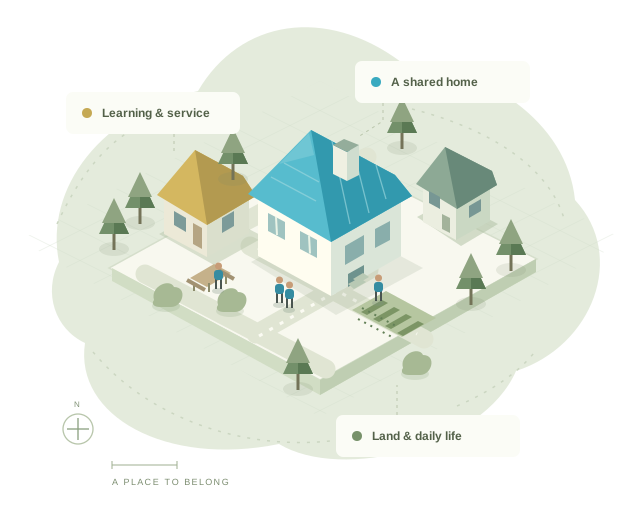
An outpost brings spiritual purpose into everyday life: welcoming a guest, tending a garden, teaching a skill, and taking responsibility for one another.
OutpostOS gives that work a common home. Clear responsibilities and practical tools help your team spend less energy keeping things together, and more time serving well.
Turn a common vision into clear plans, useful knowledge, and thoughtful decisions.
Connect daily work with the people, resources, and responsibilities it needs.
Keep faith, belonging, and care for people at the center of the work.
OutpostOS on your phone
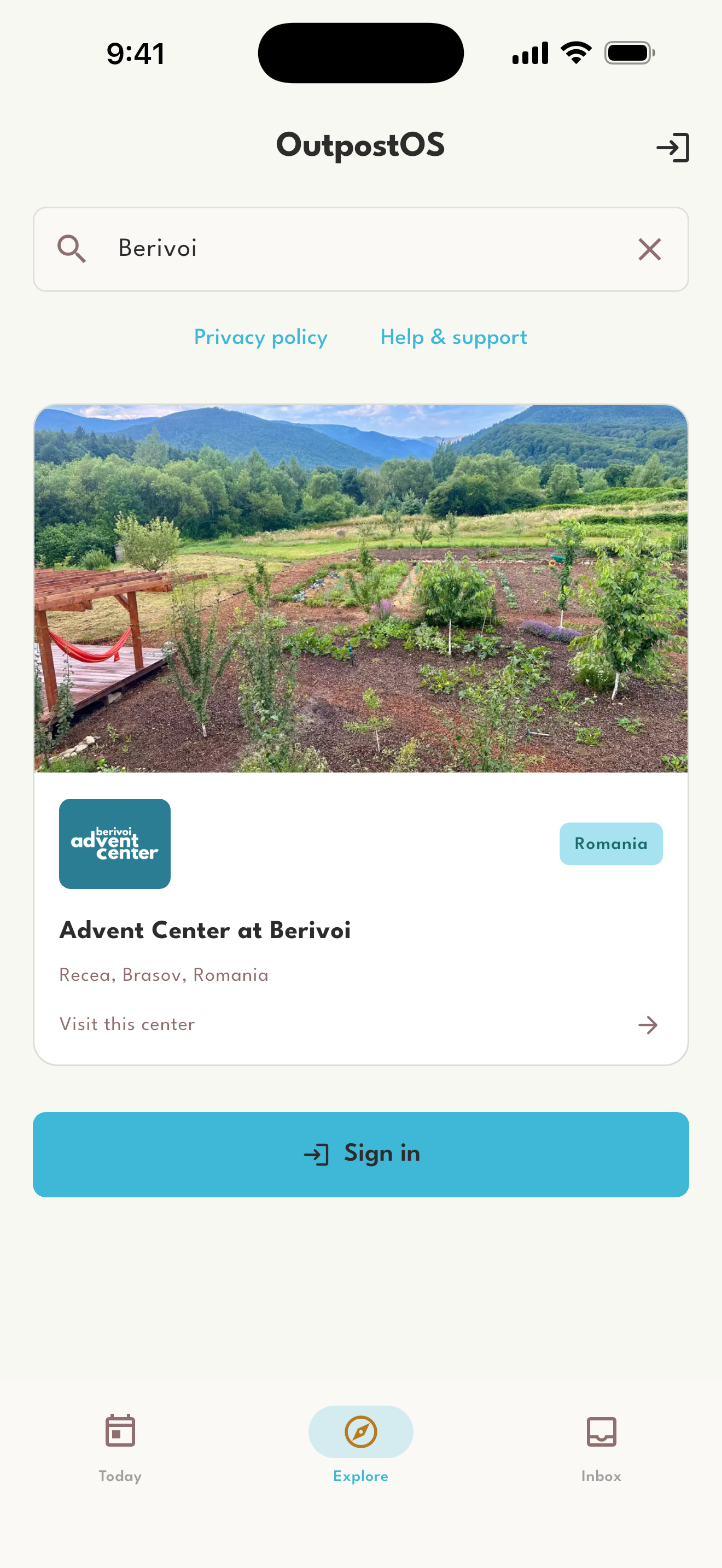
Discover centers, explore stays and activities, and keep your outpost close when you’re on the move.

Available now for iPhone and iPad. Android is in closed testing.
Faithful in the everyday
A common home for the work of your outpost.